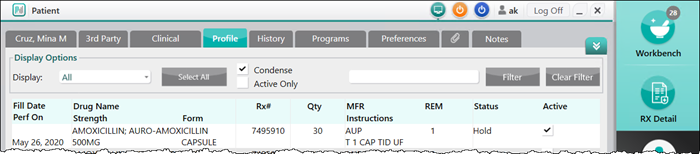
Placing a New Prescription on Hold
Placing a prescription on hold creates a record of a prescription without filling it. This is done when the pharmacy receives a prescription that the patient does not require at the present time, but will require at a future date.
To place a new prescription on hold:
- From the Workbench or the patient's Profile tab, select New. The New RX window opens.
- Select Single Scan or Duplex Scan to scan the prescription into the New RX window. The prescription will appear in the image field on the left of the window.
- Enter the following information based on the prescription:
- Patient
- Drug(s)
- Doctor
- Qty Auth
- Qty
- SIG
- DS
- Ready time
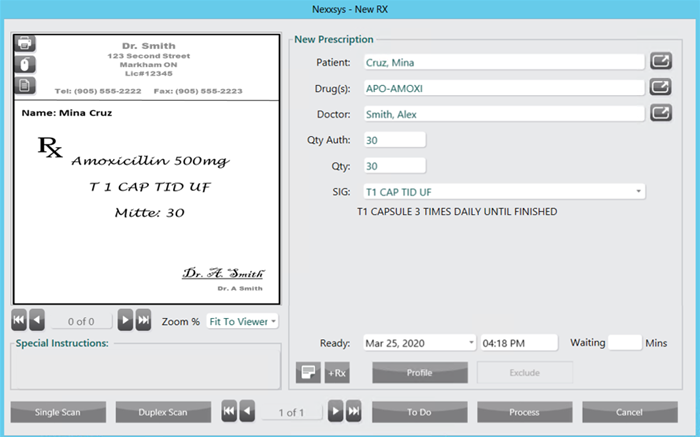
- Select Process. The prescription opens in the Rx Detail window.
- Verify the information in the Rx Detail window and make any necessary changes.
- Select Hold. The prescription is added to the patient's Profile tab with a status of Hold.